
How to build custom regions in Excel Map? – Example for France Departments
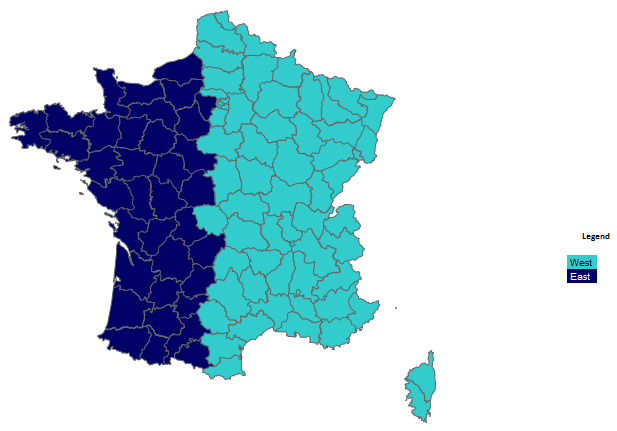
Excel Map is extremely flexible when it comes to designing custom regions. When your regional division is based on administrative areas or ZIP codes, you can use our Excel Map to quickly show the regions, draw the boundaries and add any labels on top.
Prepare data for Excel Map France
Let’s start with preparing the data in a new sheet where Regions are assigned to administrative areas available in the map.

Then assign them to the Data sheet by creating a new column called Region. You can use Excel VLOOKUP function to do this task.

Next prepare a list of unique region names and assign to them integer numbers from 1 to maximum 30.

The most important part of this task is to make sure that these numbers are assigned to proper administrative areas of Excel Map in the G column of the Data sheet. Again, you could use a VLOOKUP function like on my example below:

Draw regions on the map
Then go to the Map sheet and find Choose option on Map ribbon > Categories colors > Edit names > enter the number of regions, edit their names and colors.

After hitting OK, we get the regional division on the map.
Customize your map
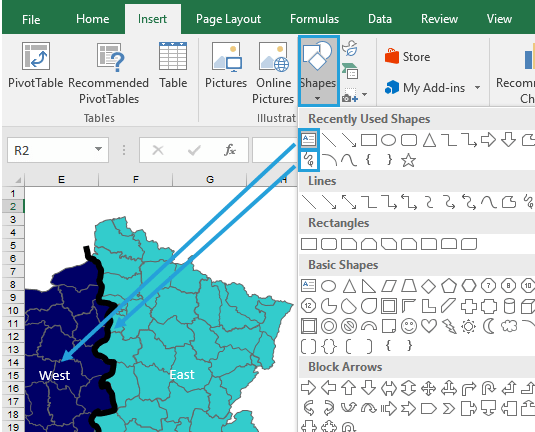
Now you can add on top of the map your region shapes (by using Freeform: scribble shape) or any text label (like region names).
Watch the video tutorial to check how to use Excel Map
How to build custom regions in Excel Map France? (Example for French Departments)
Loading the video connects your browser to YouTube. YouTube may store data on your device.
Watch on YouTube instead